What's New - Plaud
Release notes
Keep up with Plaud's latest releases, improvements and fixes.
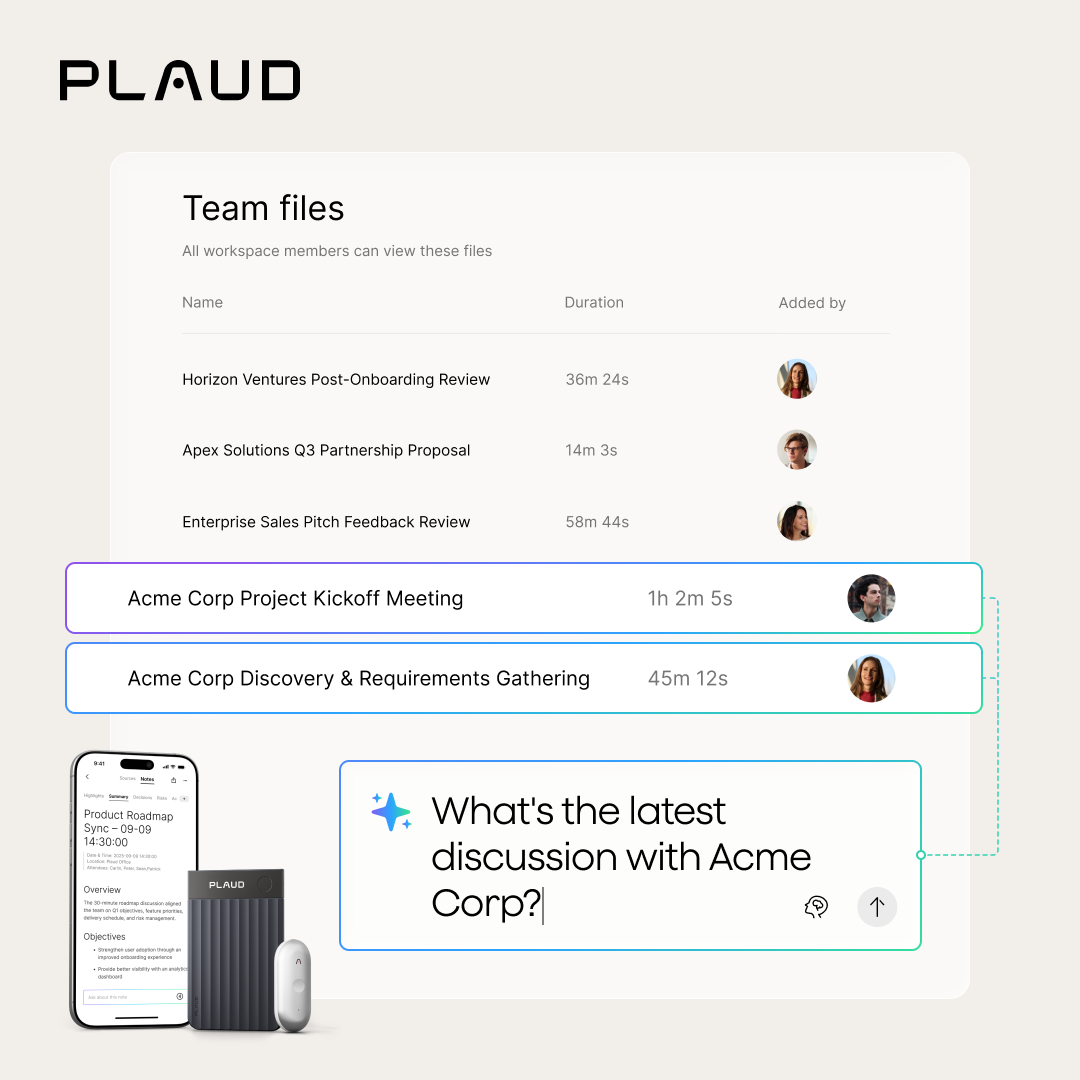
A Team workspace has a shared Team files folder for recordings, transcripts, and summaries, with visibility across the whole team. Collaborate easily without extra setup.
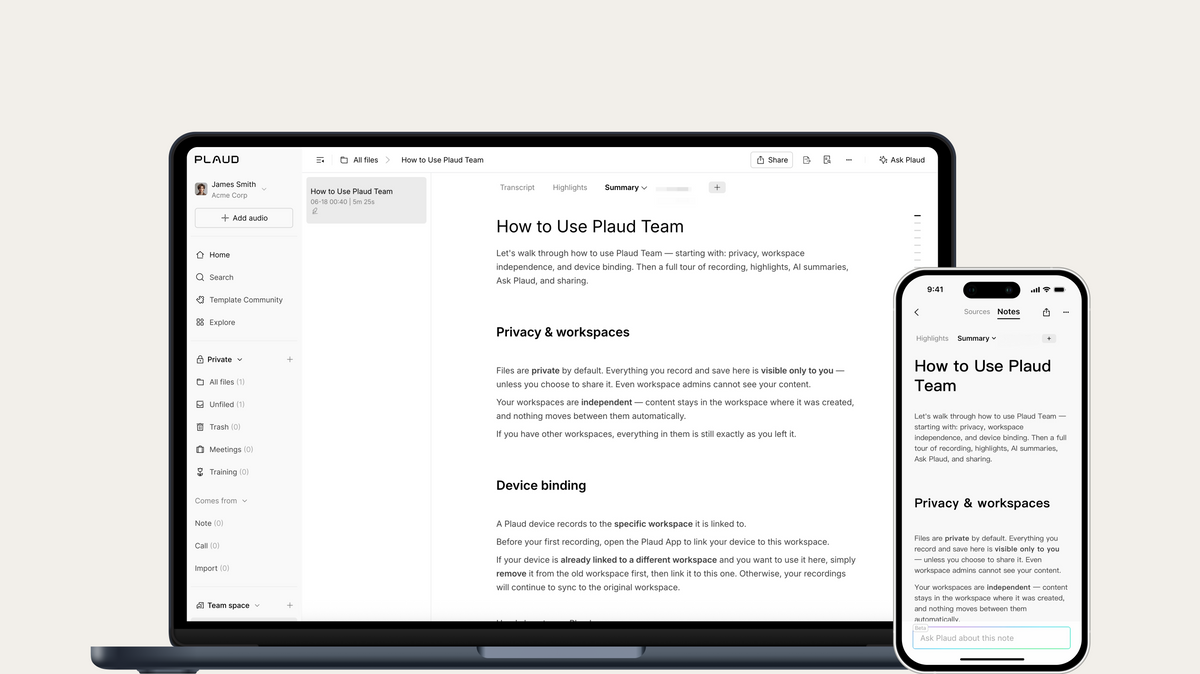
Every new Team workspace opens with a built-in welcome guide covering privacy, workspace setup, seat entitlements, and device binding.
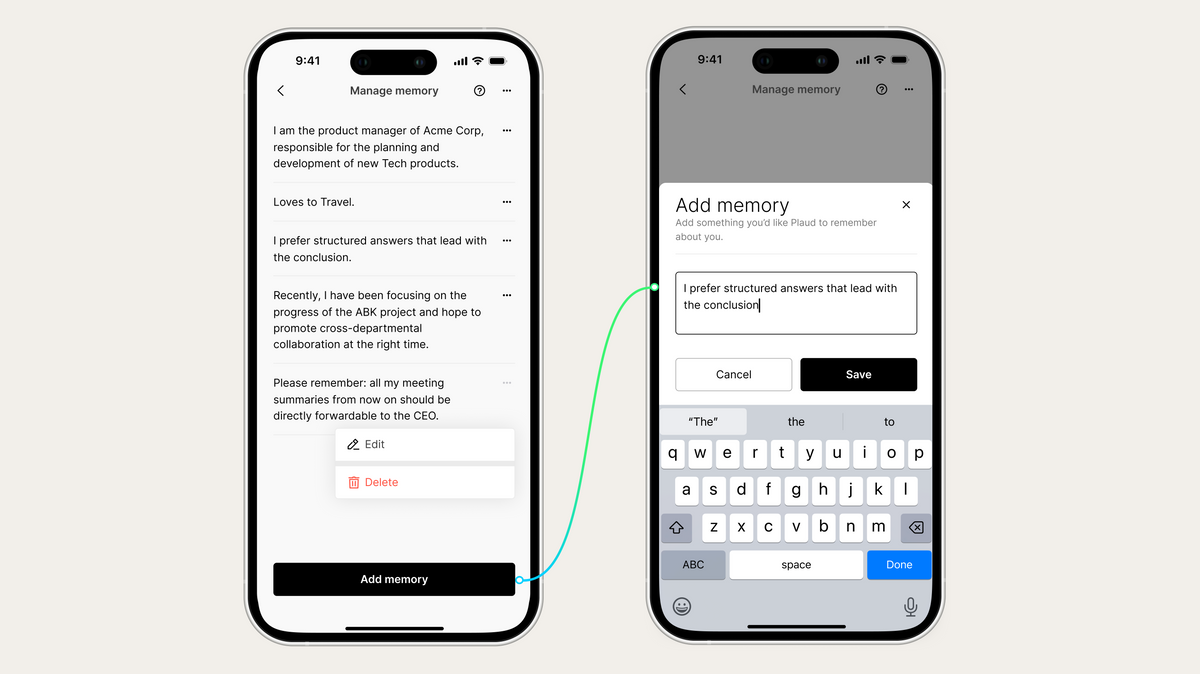
Memory lets Plaud learn and remember how you work: your role, industry, preferred reply format, and personal instructions like "lead with conclusions" or "always use bullet points." The more you use Ask Plaud, the more tailored every response becomes. View, edit, or delete anything anytime in Settings > Personalization > Manage Memory.
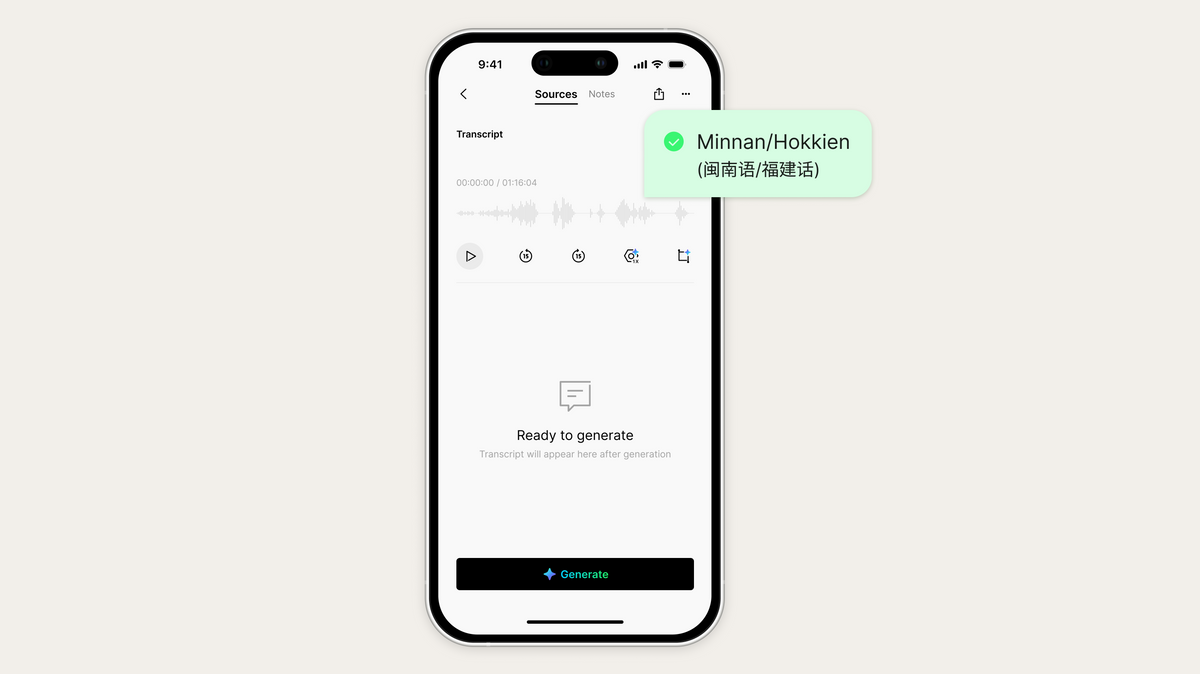
Record in Minnan and Plaud transcribes, labels, and summarizes it accurately, with full support in both auto and custom generation.
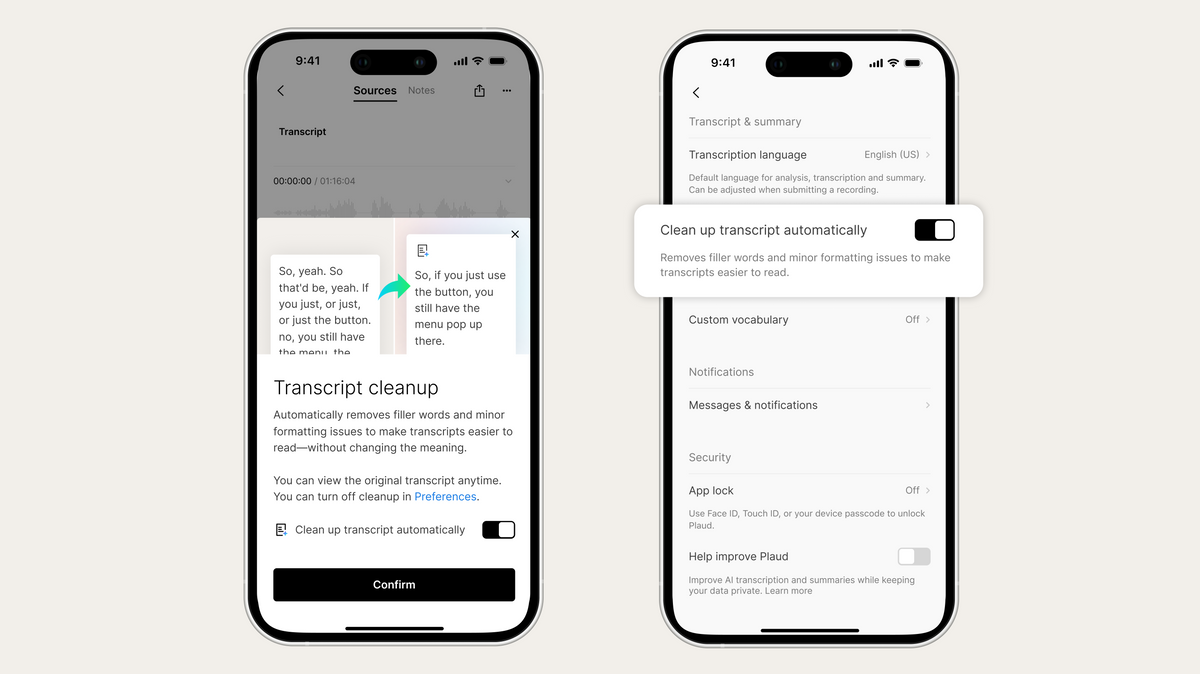
Auto Polish removes filler words, smooths awkward phrasing, and cleans up your transcript the moment it's generated, without changing the meaning. The original transcript is always one tap away, and it never uses your transcription minutes.
-
Audio Management Web audio exports now default to MP3 for flawless compatibility across older operating systems and tools.
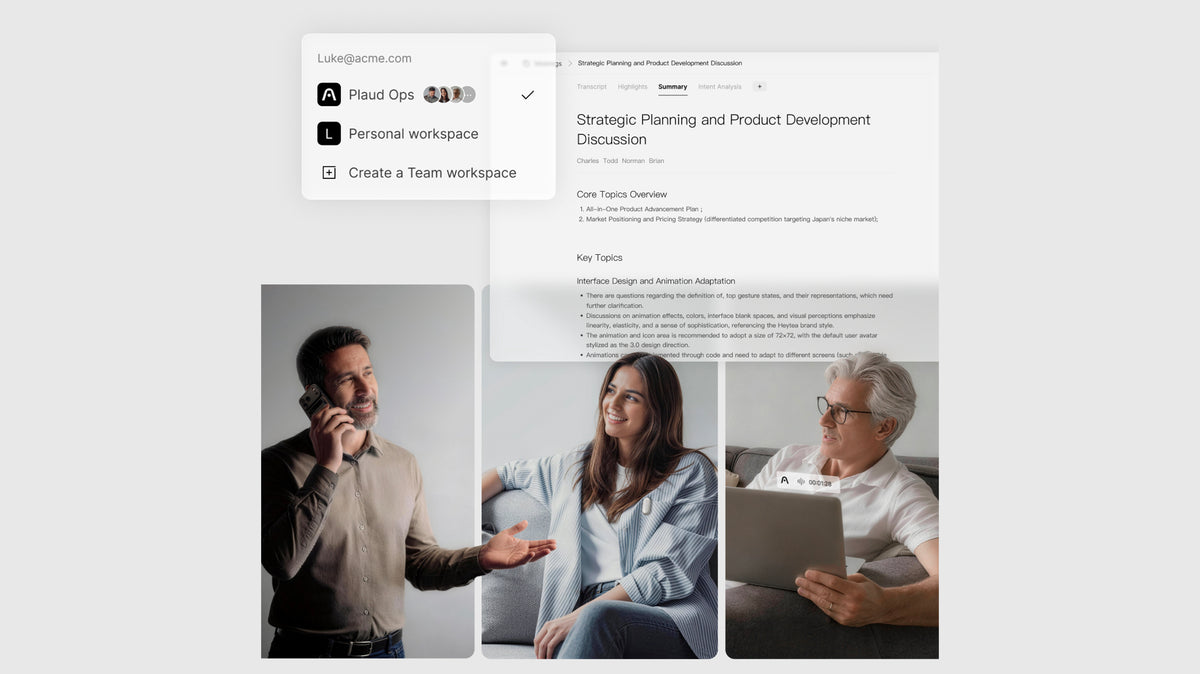
We’re making teamwork easier and administration simpler. Unify your team under one workspace to quickly share meeting insights and keep everyone aligned. All with the convenience of centralized billing and admin controls.
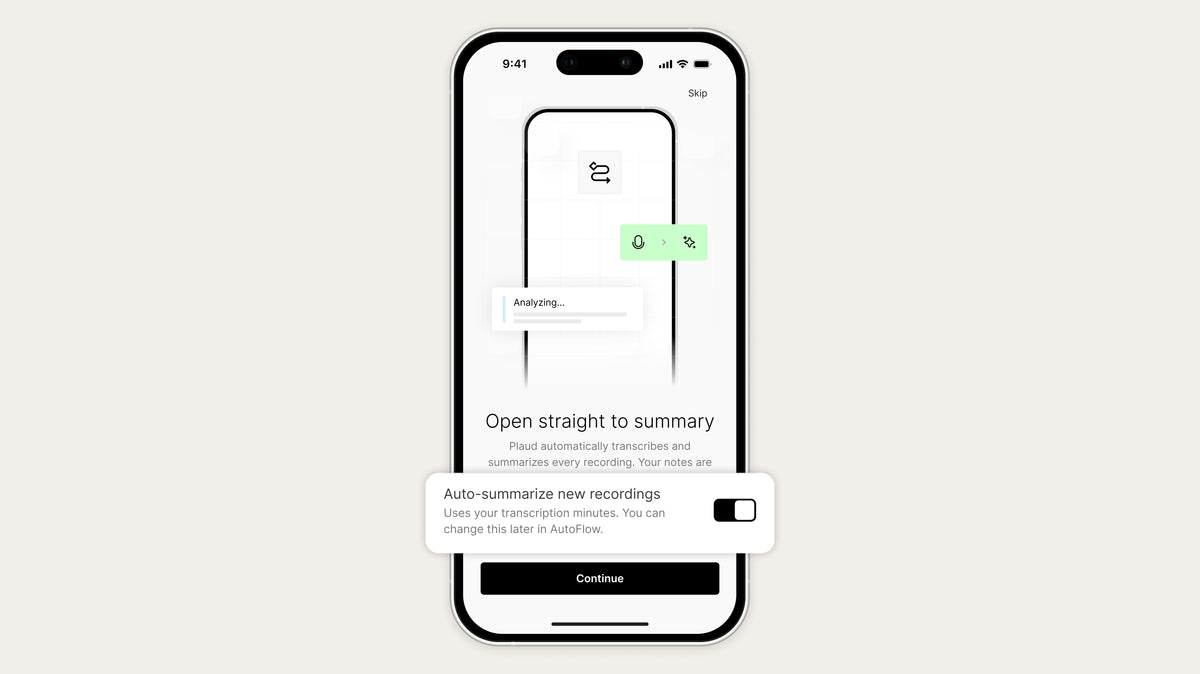
To help new users get started, recordings captured will be transcribed instantly, so you can focus on the conversation, not the note-taking. You can easily toggle this off during your quick welcome tour or anytime in your Settings.
-
Onboarding Our redesigned onboarding guides you through your first recording and AI summary.
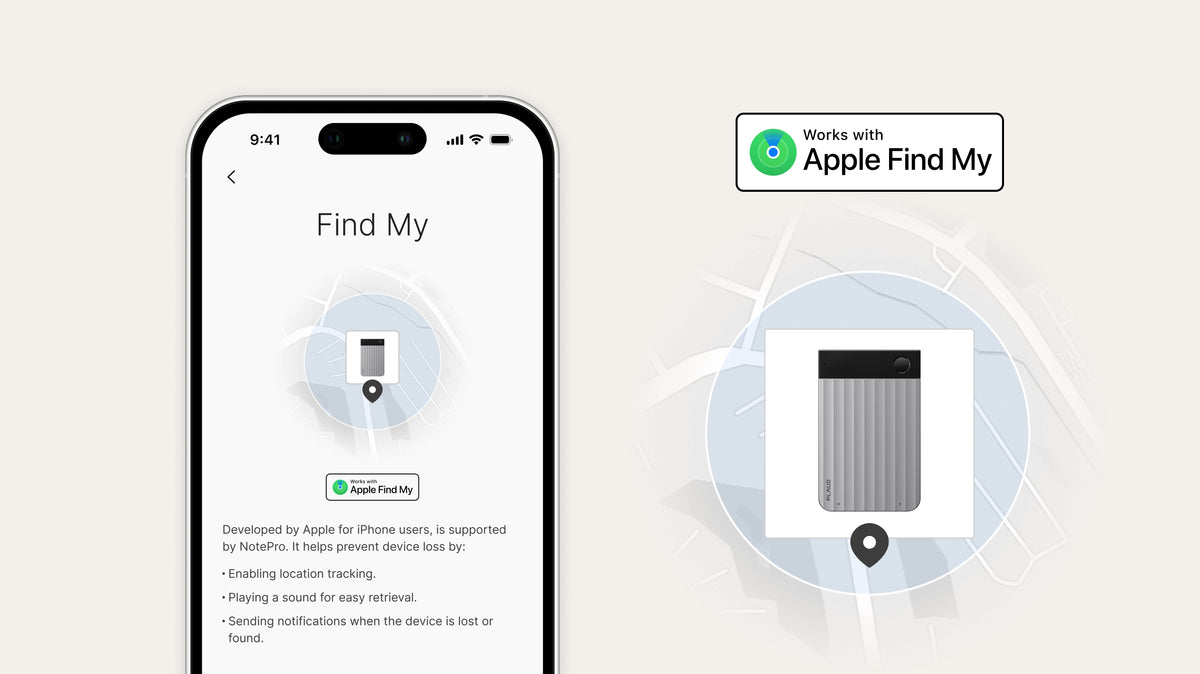
Plaud Note Pro can now be located using the Apple Find My app, making it easier to keep track of your device at any time. Add your device to Find My and view its location directly from your iPhone, iPad, or Mac.
*Requires firmware version 1.5.
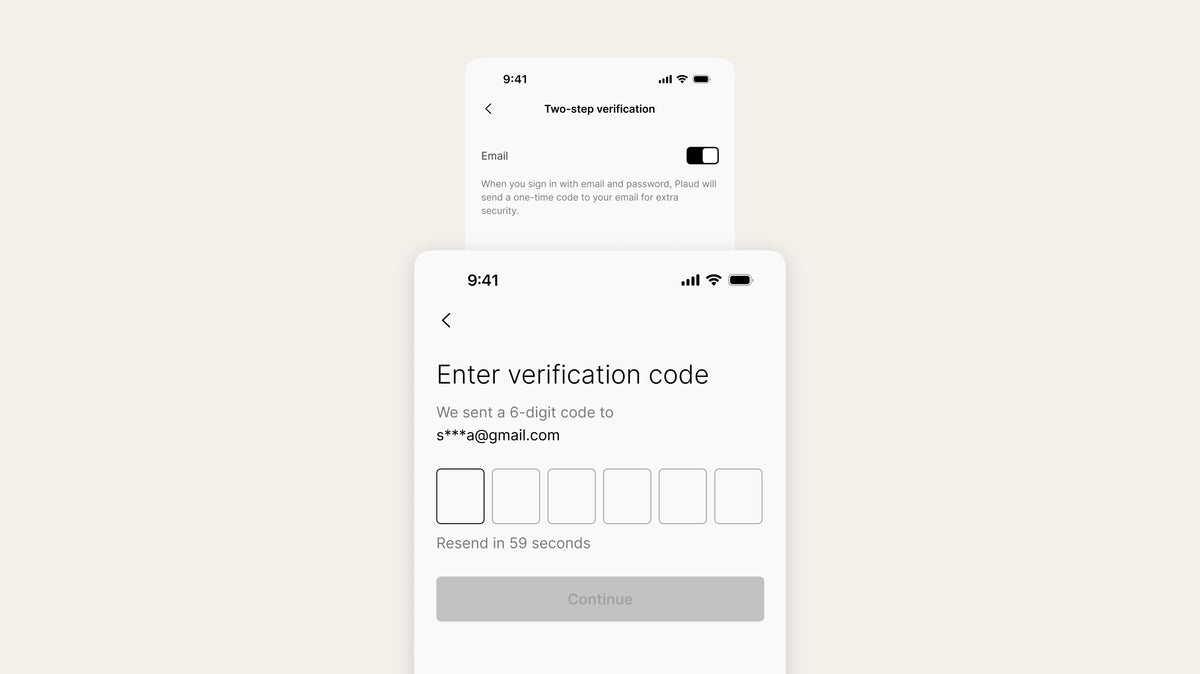
Two-step verification is now available for email logins. Once enabled, a verification code will be required after password entry. Turn it on in your account settings for stronger security.
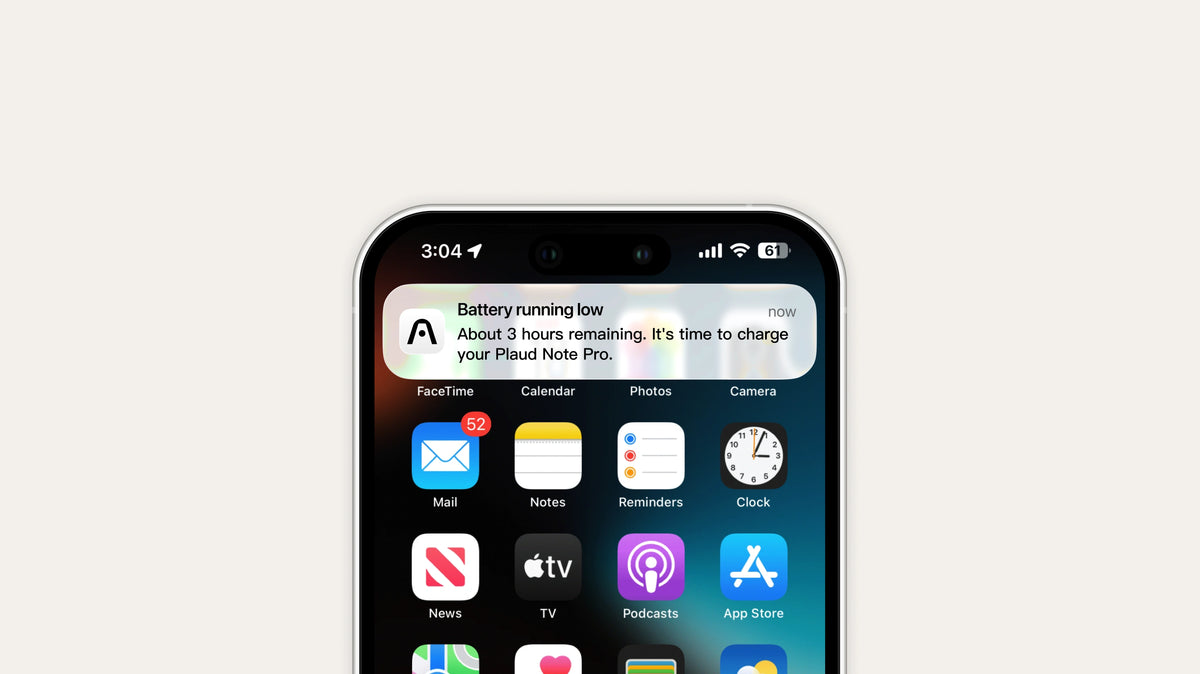
Low-battery notifications are now available to help you avoid missed recordings when your Plaud device runs low on power. Enable it in your preferences to stay informed.
-
Plaud Web Now supports Cmd/Ctrl+click to open files, sidebar items, Membership Center, and more in a new tab.
-
Audio Management Merged recordings now use the earliest file's timestamp, making it easier to organize content by when it actually happened.
-
Device Management Added estimated remaining recording time in device management page for quick remaining-time checks. Supported on Plaud Note Pro and Plaud NotePin S only.
Plaud Desktop extends our intelligence from offline to online. It automatically detects when a video meeting begins on Zoom, Google Meet, or Teams and captures it in real time, securely and natively without a bot. Now, you can keep all your notes organized and accessible across the Plaud App and Plaud Web.
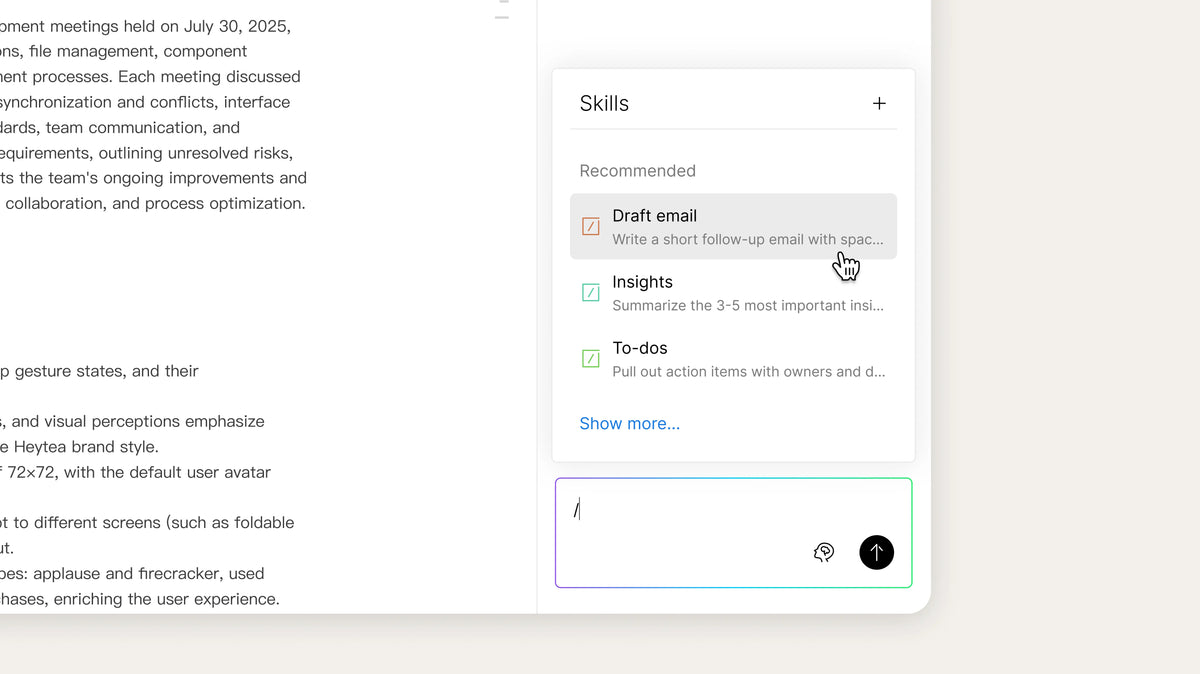
Ask Plaud now supports Skills. Choose from over 15 built-in skills or create up to 10 custom skills using your own prompts. Skills are organized into Recommended, My Skills, and All Skills for easier access.
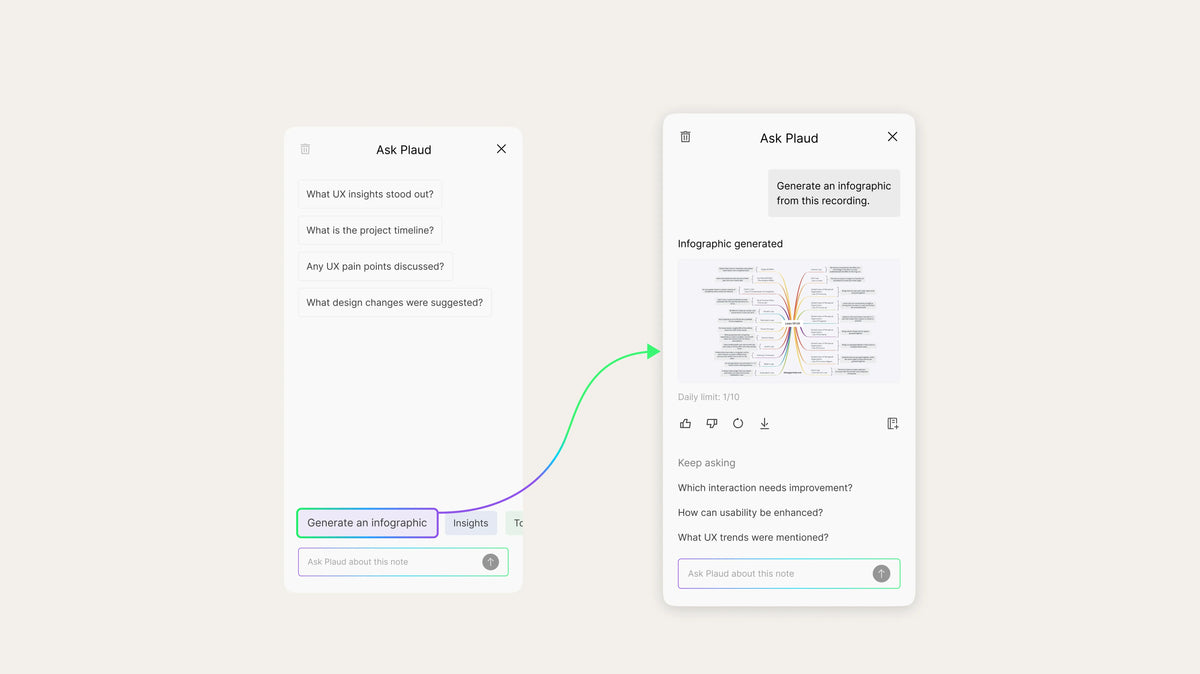
Ask Plaud now lets you turn meeting transcripts into clear, shareable infographics in seconds.
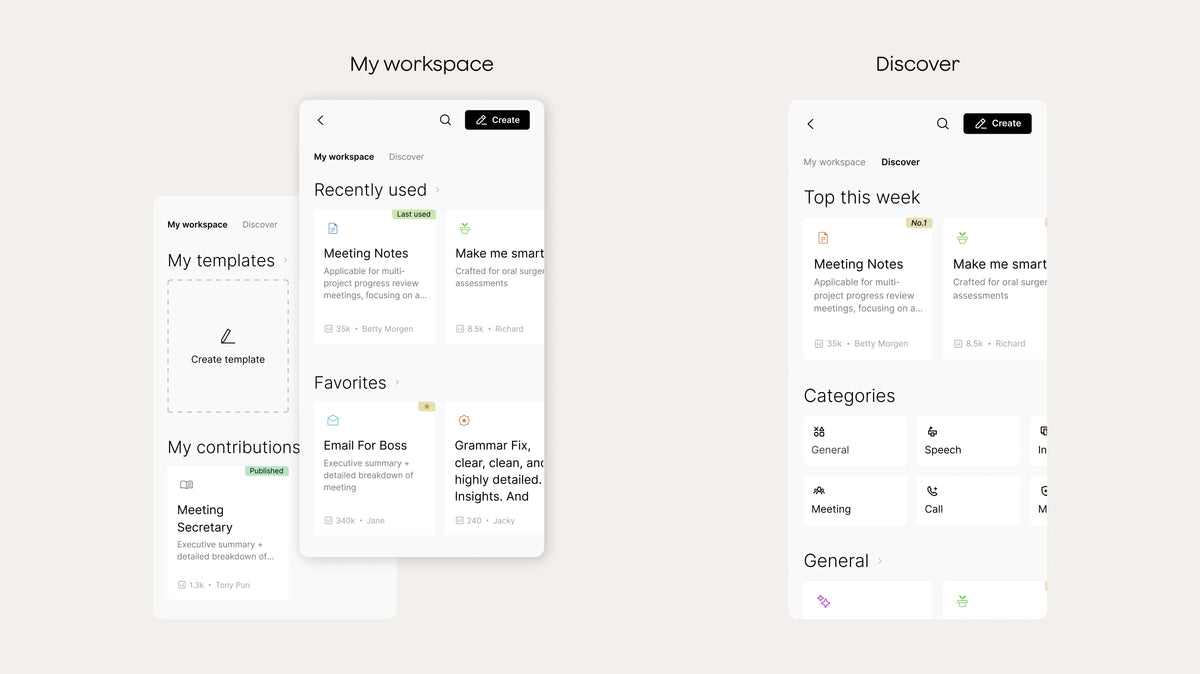
My Workspace brings your frequently used, favorite, and personal templates into one focused space, making it easier to continue your work without searching. Discover remains the home for exploring over 10,000 community templates across industries.
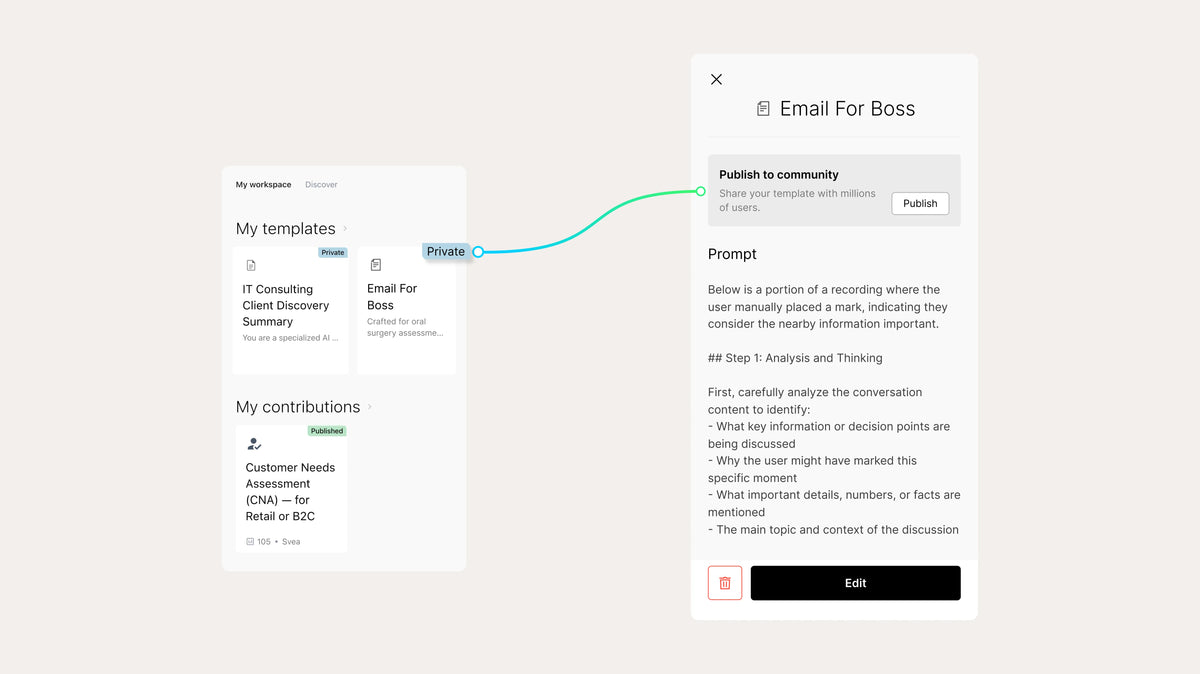
Custom templates are now private by default and can be used immediately after creation. Users can edit, publish, or delete their templates anytime, without review delays. This gives users full control and faster access to the templates they rely on for their work.


Trusted Sharing lets you share audio, transcript, summary or highlights while staying fully in control. You can decide who gets access, what they see, and how long it's available—so information is shared easily and securely.
-
AI speech enhancement Now available on Plaud Web. Improves voice clarity for clearer playback.
-
File search Now available on Plaud Web. Enables search across all cloud-synced files.
Plaud Desktop extends our intelligence from offline to online. It automatically detects when a video meeting begins on Zoom, Google Meet, or Teams and captures it in real time, securely and entirely without a bot. Now, you can look up your meeting progress and access meeting content across the Plaud app and Plaud web.
My Workspace brings your frequently used, favorite, and personal templates into one focused space, making it easier to continue your work without searching. Discover remains the home for exploring over 10,000 community templates across industries.
-
Templates Optimized template loading and preview speed when switching between community and custom templates
-
Ask Plaud Refined response formatting to make key conclusions and action items easier to scan at a glance.
-
App Performance Reduced loading time when opening large files and improved overall stability during intensive AI processing.