



Note taking for back-to-back meetings
Captures every back-to-back meeting. Structured notes ready before the next one starts.
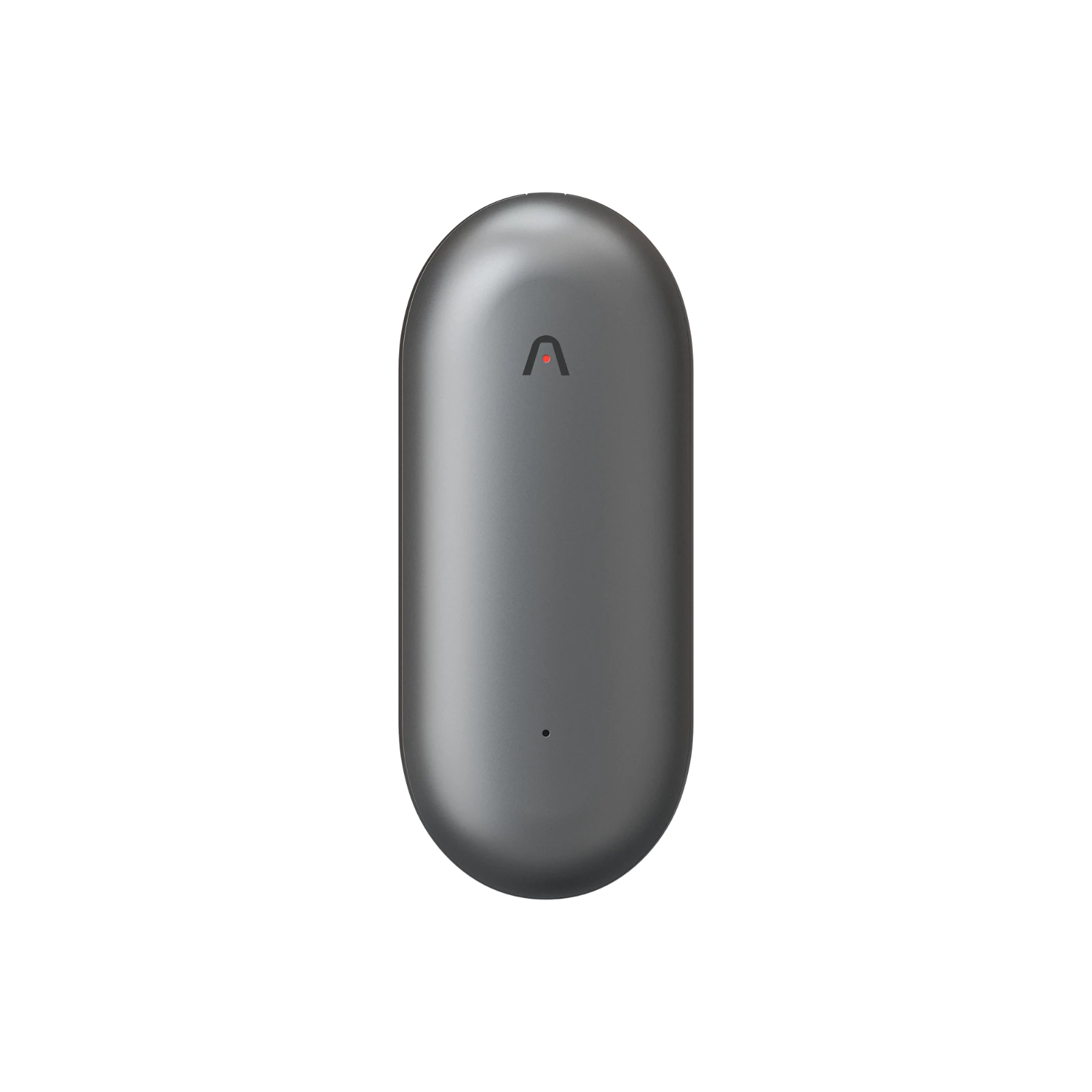
Plaud Note Pro records every meeting automatically so you can listen fully instead of typing. The structured summary is ready within seconds of the recording ending. No typing, no playback, no post-meeting catch-up between sessions.
Trusted by 2M+ users globally since 2023

What an AI note taker for back-to-back meetings does differently
Every session captured. Structured notes ready before the next one starts.
Plaud Note Pro is a physical AI note taker that records every back-to-back meeting and delivers a structured summary automatically. Software bots like Bluedot, Otter.ai, and Fireflies.ai summarize video calls well, but they stop working the moment a conversation moves to a phone call, a corridor discussion, or an in-person coffee between sessions. Plaud Note Pro records everything and produces a ready-to-use summary in under 60 seconds.
3 artifacts, ready when the meeting ends
Speaker-labeled transcript
Every word from every session captured and attributed. Searchable, timestamped, and ready for reference before the next meeting starts.
AI structured summary
Decisions, action items, and owners extracted automatically from each session. No manual cleanup and no review required.
Export-ready notes
Paste directly into Notion, Slack, or your task manager. No reformatting and no manual entry between meetings.
Works across every format in a back-to-back day
Plaud Note Pro sits flat on the table or records from a pocket. No bot joins the call and no platform account is required.
Workflow fit
Is Plaud Note Pro the right note taker for your back-to-back meeting schedule?
The core problem: when meetings run back-to-back, there is no time to write notes before the next one starts. Plaud Note Pro records automatically so you can listen fully. The structured summary is ready within seconds of the recording ending. No typing, no playback, no post-meeting catch-up. Inform all participants and confirm consent before recording. Check whether this workflow fits your schedule.
Built for your role
Built for professionals who run back-to-back meetings all day
Pick the role closest to yours.
Knowledge worker with 5 to 8 daily calls
Pain
Running back-to-back video and phone calls leaves no time between sessions. Current bots summarize video calls but still require review before trusting the output. Phone calls and in-person conversations between sessions have no coverage at all.
How Plaud helps
Plaud Note Pro records every format and produces ready-to-use summaries without review overhead. Coverage does not drop when the conversation moves off the video call window.
Best output
Call summaryNetworker or founder running in-person back-to-back sessions
Pain
Back-to-back coffees, interviews, and site visits happen outside the video call window. Nothing captures the conversation automatically. Deciding what to note while listening means missing the actual discussion.
How Plaud helps
Plaud Note Pro records in-person conversations hands-free. A structured summary is ready before the next coffee starts. No typing during the conversation and no catch-up afterward.
Best output
Action itemsTeam lead or operations manager with daily stand-ups and 1-on-1s
Pain
Back-to-back stand-ups and 1-on-1s mean decisions and follow-ups from the first session blur into the second. The quality of notes depends on which attendee had time to write.
How Plaud helps
Plaud Note Pro creates one consistent record per session with decisions and owners identified automatically. Every meeting has the same output quality regardless of who attended.
Best output
Decision logHow it works for back-to-back meeting note taking
How Plaud Note Pro captures back-to-back meetings
Compliance & trust
Record back-to-back meetings safely and legally
Legal recording guidance
Always inform all participants and get their consent before recording. Laws vary by region. Many US states require all-party consent for phone calls. Built-in consent prompt and disclosure beep covers the notification step automatically at the start of each recording.
Privacy by design
Recordings stay on-device until you choose to process them. No background uploads and no audio sent to third-party servers mid-session.
Encrypted storage
AES-256 encryption in transit and at rest. Your meeting audio is never used to train AI models.
Compliance-ready output
Full verbatim transcript available for any downstream compliance, legal, or audit workflow. Structured summaries organized by speaker and decision type.
Why teams switch
Why professionals searching for back-to-back meeting note taking choose Plaud instead
Based on buyer reviews and community posts about note taking for back-to-back meetings, these are the three setups professionals came from and the specific reasons they switched.
Switched from
Bluedot / Otter.ai / Fireflies.ai
Top tools mentioned in back-to-back meeting Reddit threads
""I use Bluedot because it lets me focus during calls and gives structured summaries with action items. It works, but I still review everything before trusting it.""
Why they left
- Summarize video calls well but still require review before the output can be trusted
- No coverage for phone calls and in-person conversations between video sessions
- Bot joins as a visible attendee, which creates friction with external participants
What Plaud does instead
- One device covers video calls, phone calls, and in-person meetings from the same session day
- Summaries are ready to use without review overhead
- No bot and no attendee list entry for any session format
Switched from
iPad with Apple Pencil or digital notebook
Common starting point for in-person back-to-back note takers
""Real-time recording and organizing is tough during back-to-back meetings and interviews. I started looking for something that handles capture automatically.""
Why they left
- Requires active writing during the meeting, which splits attention and degrades listening quality
- Nothing is captured automatically when a call goes over time and bleeds into the next session
- No structured summary or action items extracted from the handwritten or typed notes
What Plaud does instead
- Records automatically so you can listen fully without splitting attention
- Captures the full conversation even when the session runs long
- Structured summary with action items ready within seconds of the recording ending
Switched from
Manual notes or memory
Most common default for back-to-back schedules
""I end up with a lot of in-person conversations: networking, interviews, coffee meetings. I need a solution that can transcribe well and provide summaries.""
Why they left
- Decisions and follow-ups from the first meeting blur into the second with no recovery time
- Corridor and stairwell conversations between sessions are never captured
- Memory degrades across 5 to 8 back-to-back sessions and critical details are lost
What Plaud does instead
- Every conversation is recorded and summarized automatically regardless of location
- Structured notes from session one are complete before session two ends
- Nothing is lost from corridor chats, phone calls, or in-person meetings between video sessions
Stop losing notes between sessions. Start every meeting fully prepared.
Get Plaud Note Pro built for back-to-back meeting note taking.
Customer stories
What professionals running back-to-back meetings say about Plaud

“I paid $300 a year, and I make probably an extra couple thousand dollars a month in things I would have forgotten.”
Read story →
“It allows us to focus, speed up follow-up, close deals faster, and keep everybody aligned.”
Read story →
“"This is my administrative assistant. This is what takes my notes, gives me my to-do list, tasks, and management."”
Read story →Real Plaud customers. Full stories at plaud.ai/blogs/user-story.
Recommended devices
Choose the right device for note taking in back-to-back meetings
Pick the form factor that fits how your back-to-back day is structured.
If you...
Run back-to-back video calls and phone meetings throughout the day
If you...
Move between in-person meetings and need hands-free recording
If you...
Primarily take phone calls and need a compact always-ready recorder

physical AI note taker
Plaud Note Pro
Best for all-day back-to-back meeting capture
- 50hr battery for full weeks of back-to-back meetings
- 4 MEMS microphones, picks up voices up to 5 meters
- Covers phone calls, video calls, and in-person meetings

wearable physical AI note taker
Plaud NotePin S
Best for in-person back-to-back sessions and hands-free capture
- 17.4g wearable design, worn as lanyard, wristband, clip, or pin
- 20hr continuous recording
- 64GB onboard storage. Nothing on the table. Records hands-free at any location.

AI voice recorder
Plaud Note
Best for phone-call-heavy back-to-back schedules
- Pocket-sized, attaches to your phone for call recording
- 20hr battery
- One-tap recording, no app on call
30-day money-back
1-year warranty
Lifetime support
Which tablet is good for note taking?
Tablets like the iPad with Apple Pencil work well for manual note taking. They require active writing during the meeting, which splits attention. For back-to-back schedules where there is no time to write between sessions, Plaud Note Pro records automatically and delivers a structured summary without any manual input.
Which is the best free note taking app?
Free apps like Apple Notes and Google Keep work for light note taking. For back-to-back meetings where automatic transcription and structured summaries are needed, Plaud Note Pro at $189 as a one-time purchase delivers full transcripts and action items from every session without manual input or a recurring subscription.
Which is the best digital note-taking device?
For back-to-back meeting schedules, the best digital note-taking device is one that captures every session automatically without requiring you to type during the meeting. Plaud Note Pro records phone calls, video sessions, and in-person meetings from one device and delivers a structured summary between sessions.
Is it legal to record meetings?
Inform all participants and confirm consent before recording. Recording laws vary by region. Many US states require all-party consent for phone calls specifically. Plaud's built-in disclosure beep plays at the start of each recording to cover the notification step. Check your local laws and company policy before recording any meeting.
Can Plaud Note Pro handle phone calls and in-person meetings in the same day?
Yes. Smart Dual-Mode automatically detects whether you are on a phone call or in a room meeting. One device covers every format in your back-to-back schedule without manual switching.
How quickly is the summary ready after a meeting ends?
The structured summary is ready within seconds of the recording ending. Notes from session one are complete before session two ends.
Does it work without an internet connection during the meeting?
Yes. Plaud Note Pro records offline and processes when connected. No internet connection is required during the meeting itself.
How much does Plaud Note Pro cost?
Plaud Note Pro is $189 as a one-time purchase. The Plaud Pro Plan ($99.99/year) unlocks unlimited AI minutes for high-volume users. No mandatory subscription for basic use.
Related articles

5 Best AI Note Takers for Back-to-Back Calls in 2026
Compare the top AI note takers for back-to-back calls in 2026. Find out which tools cover phone calls, video sessions, and in-person conversations across a full day.
Read more →
5 Best AI Note Takers for Back-to-Back Meetings (2026)
Find the best AI note takers for back-to-back meetings in 2026. Compare tools for automatic capture, structured summaries, and coverage across every meeting format.
Read more →
5 Best AI Note Takers for Business Conversations in 2026
Explore the best AI note takers for business conversations in 2026. Find tools that capture phone calls, client meetings, and in-person discussions without a bot.
Read more →
5 Best AI Note Takers for Long-Duration Meetings (2026)
Discover the 5 best AI note takers for long-duration meetings and workshops in 2026. Designed for back-to-back sessions that run past standard recording limits.
Read more →Before you record: let everyone in the conversation know and get their consent. Recording laws vary by region. Many US states require all-party consent for phone calls specifically. Check your local laws and company policy. Plaud's built-in disclosure beep plays at the start of each recording to help cover the notification step automatically.